How to delete your account
Follow these 3 steps inside the OK App to permanently delete your account.
- 1
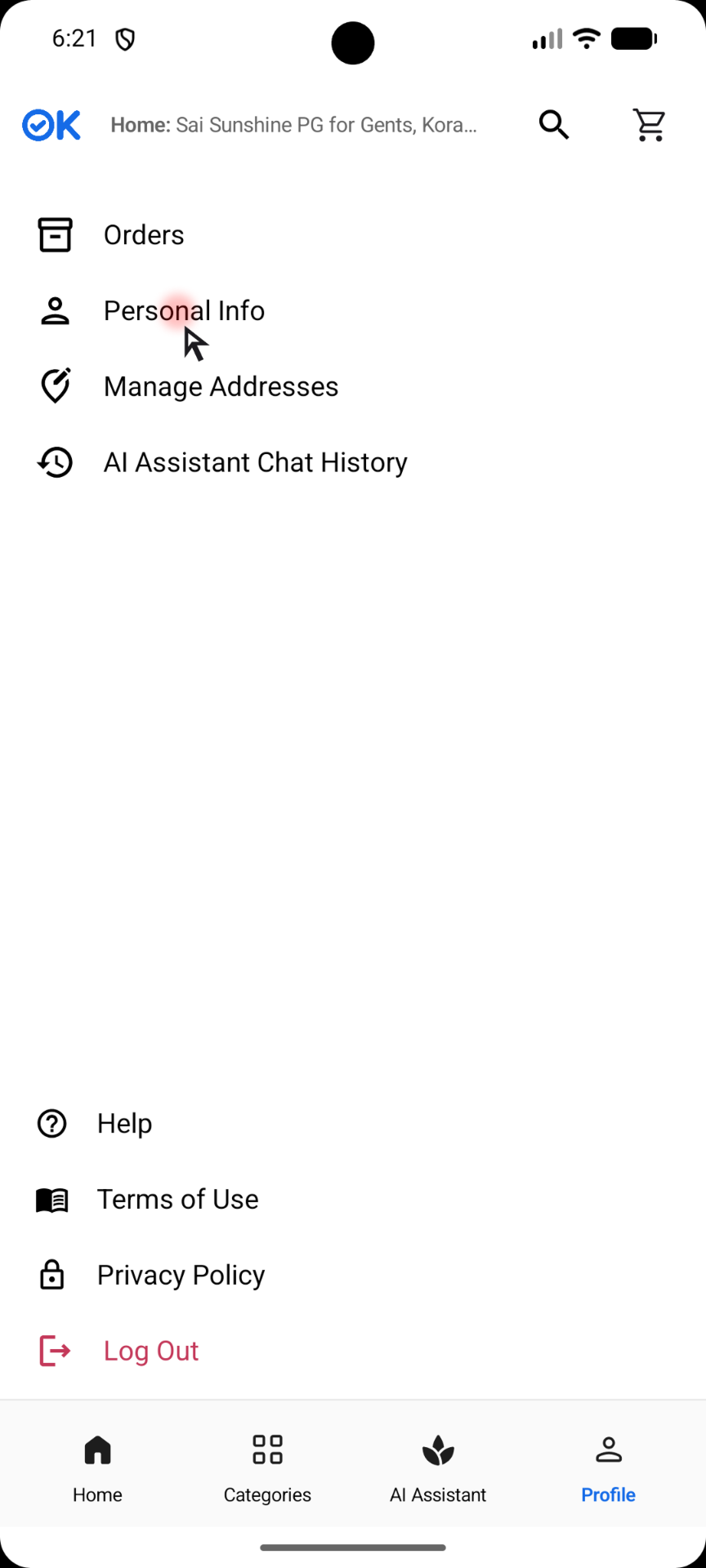
Go to My Profile and tap 'Personal Info'
Open the OK App, tap the Profile tab at the bottom right, then select 'Personal Info'.
- 2
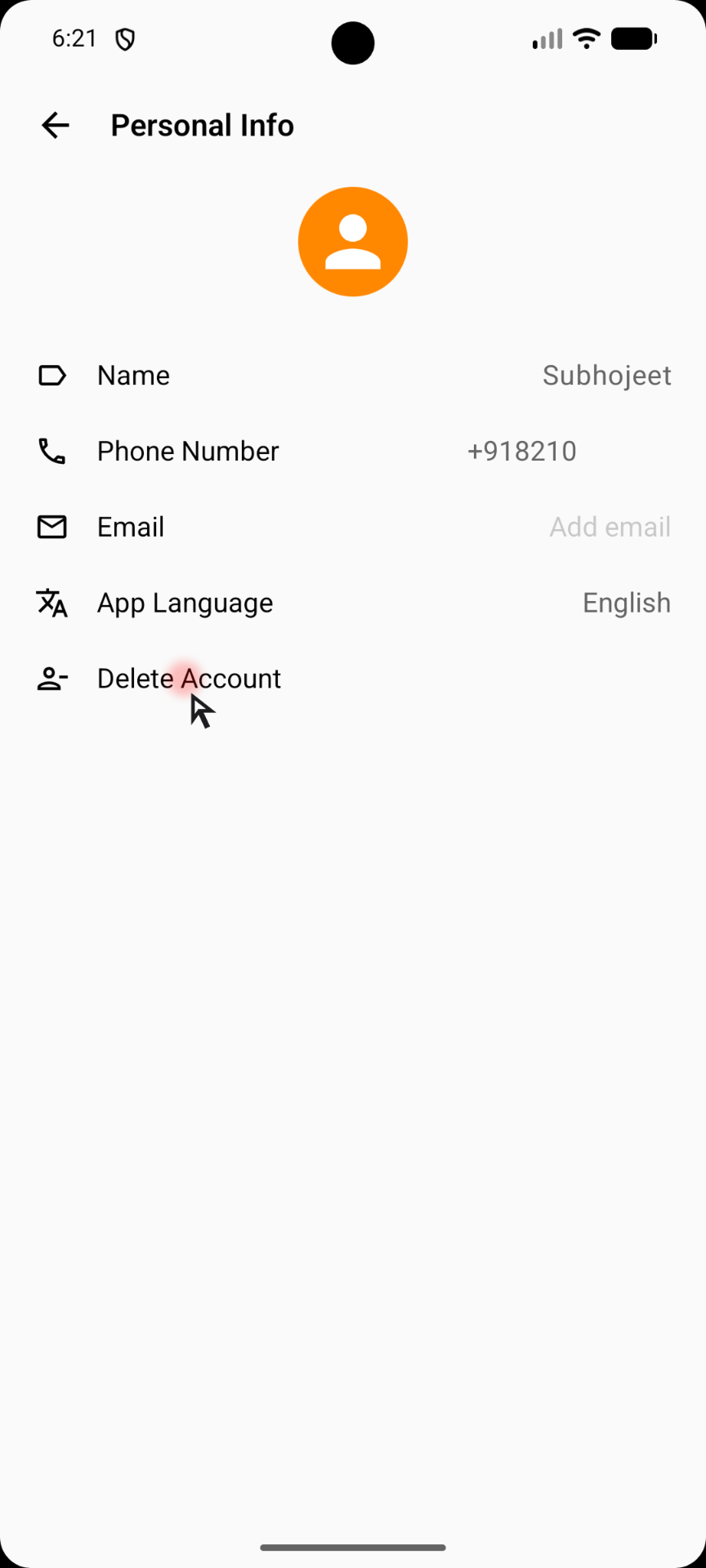
Tap 'Delete Account'
On the Personal Info screen, scroll down and tap 'Delete Account'.
- 3
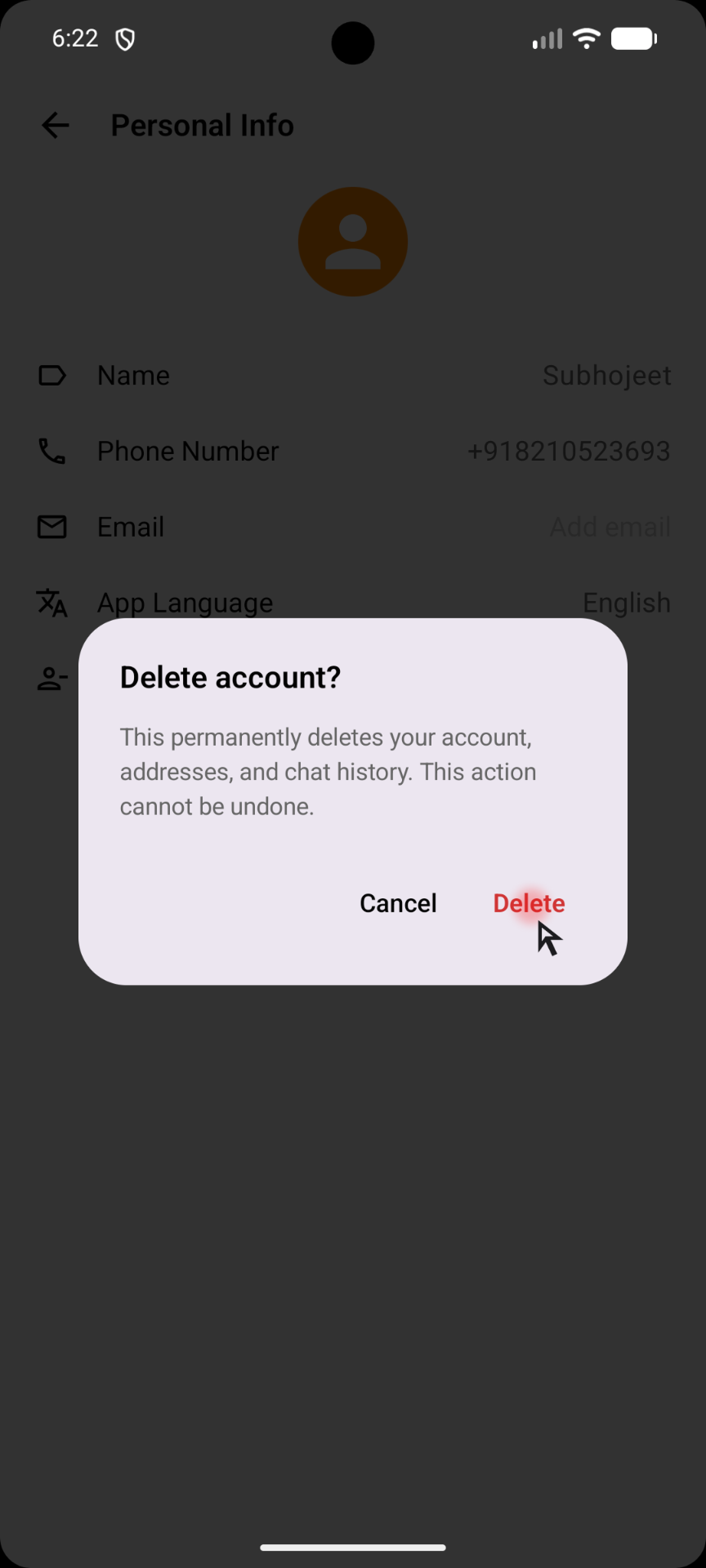
Confirm by tapping 'Delete'
A confirmation dialog will appear. Tap 'Delete' to permanently remove your account, addresses, and chat history. This action cannot be undone.